
Client brand kits, in your browser
Every client’s brand, one click away.
Kitly by Tenet keeps the colors, logos, icons, links and snippets for every brand you work on in a panel beside the page. Click to copy. Drag to drop. Stop digging through brand guides.
Kitly is in store review. Get notified the day it’s live.
Try it
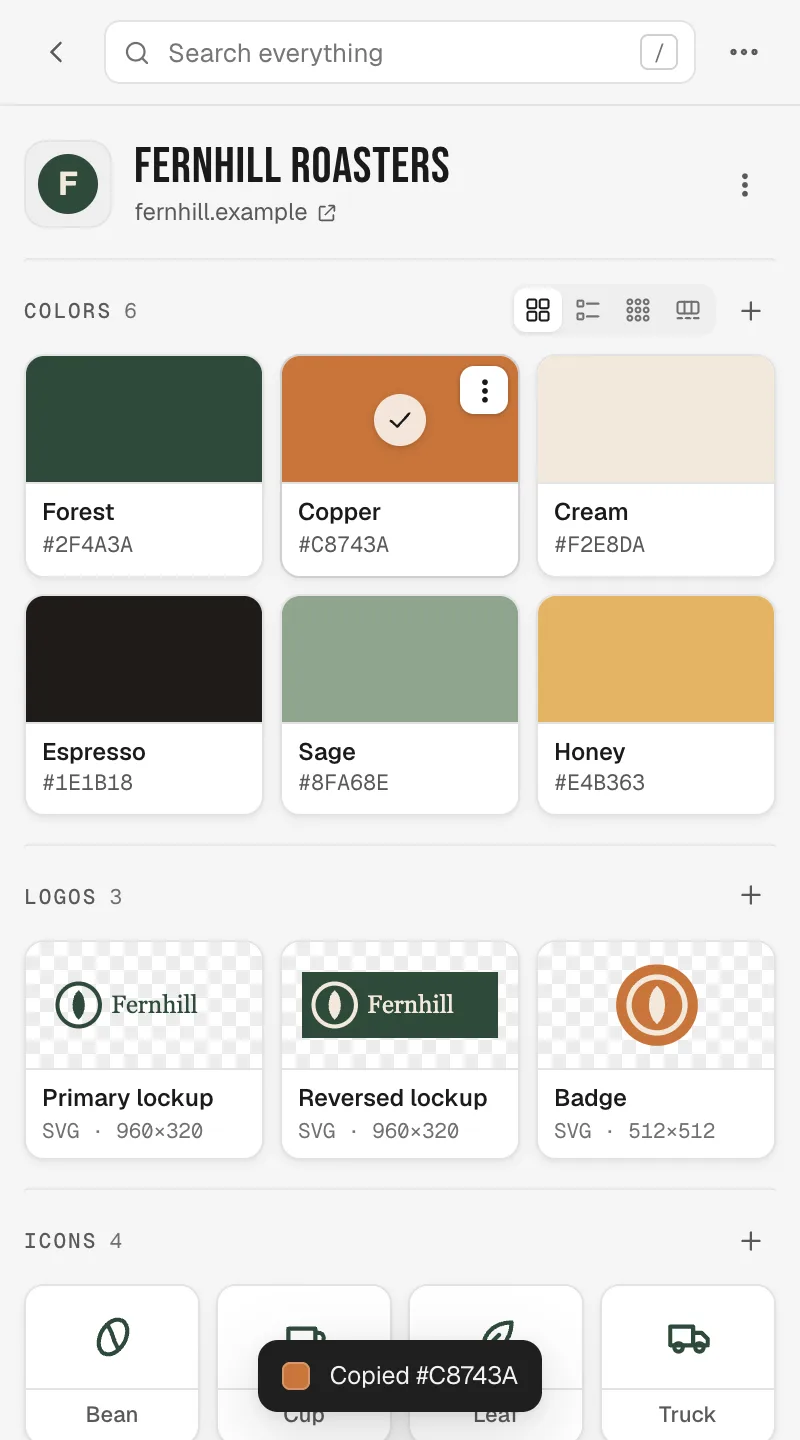
This is the whole trick.
Click a color. The HEX lands on your clipboard, ready for Figma, CSS or a slide. Kitly does this for every brand you have.
What’s inside
Everything you keep asking the client for.
Colors that copy themselves
Click a swatch, see the check, paste the HEX. RGB and CSS variables are one menu away. Four layouts, from big cards to a slim strip.
Logos in the format you need
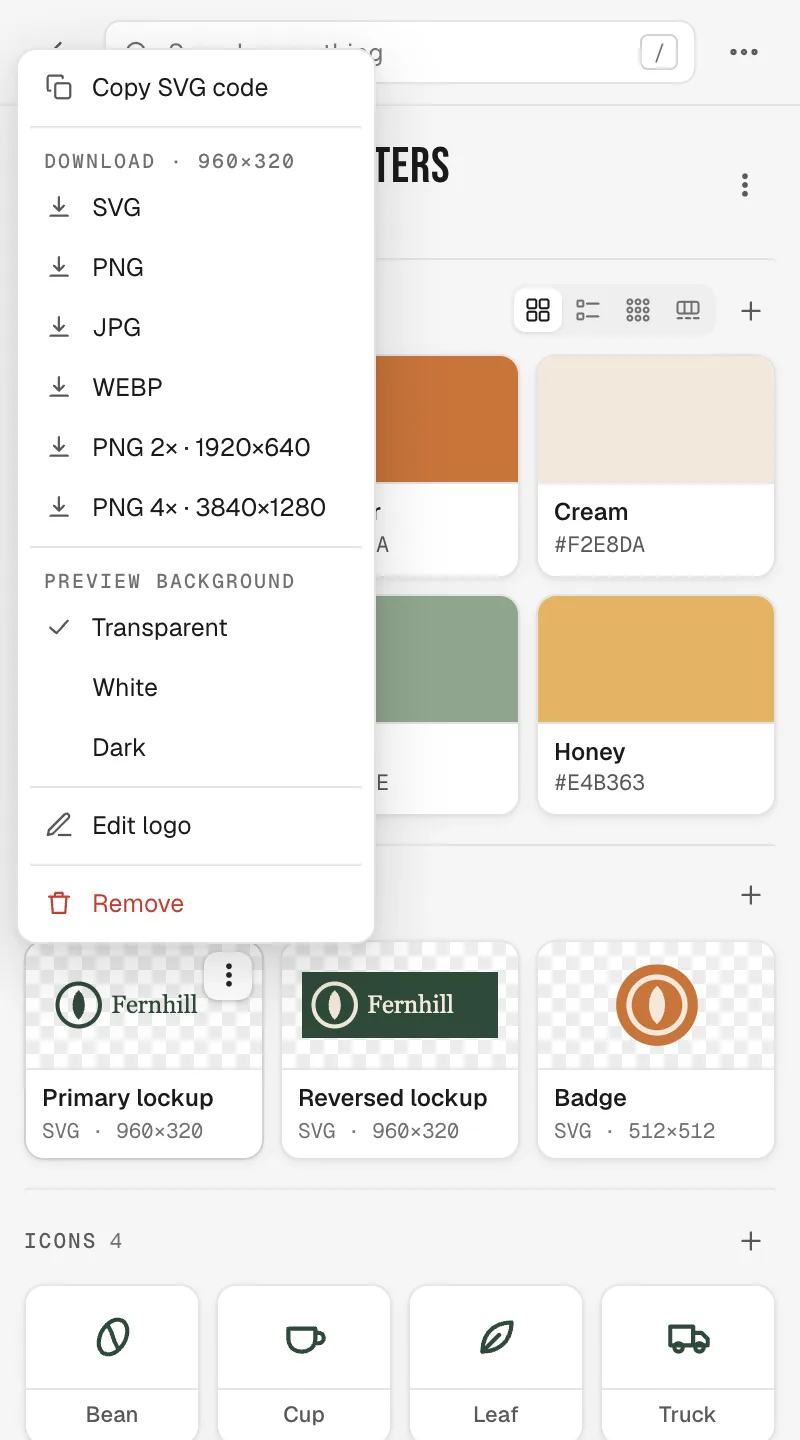
PNG, JPG or WebP at the same size. SVG logos add SVG, 2× and 4× PNG, and copyable code. Drag any logo into Figma.
Icons that stay put
Each client’s icon set in one place. Copy the SVG or drag it where it needs to go.
Links you can spot
Every link pulls its site’s favicon, with a copy button beside it. Add link offers the page you’re on, title included.
Snippets, ready to paste
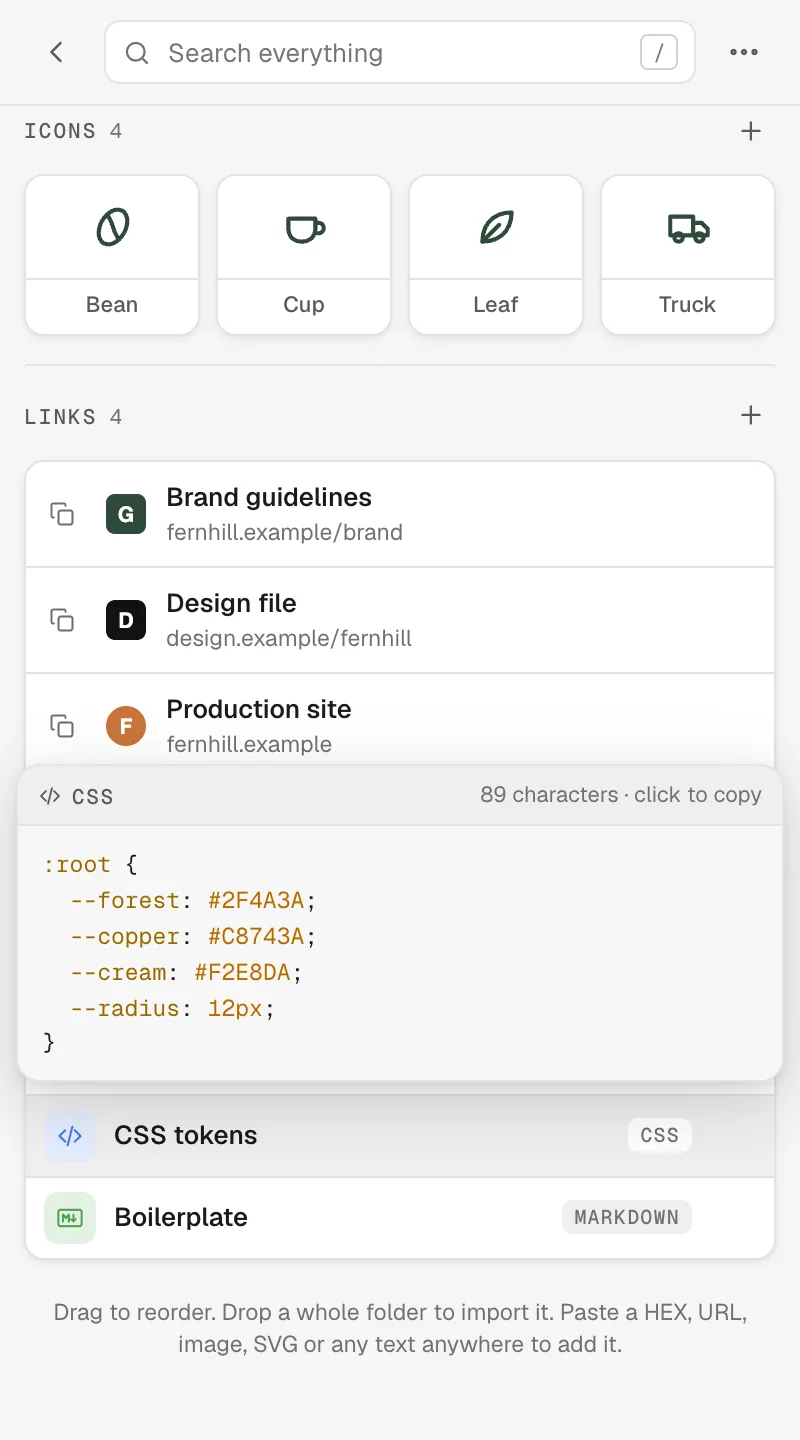
Taglines, boilerplate, tokens and code in plain text, code, rich text or Markdown. Hover to preview, click to copy.
Search everything
Type copper. Get the swatch, the snippet and the link, across every brand.
Paste it, then drag it
Paste a HEX, a URL, an image or SVG code anywhere in a brand and it lands in the right place. Then drag any list into the order you want.
Chrome, Firefox, Safari. Any computer.
Log in with Apple, Google or an emailed code and your brands follow you to Chrome, Firefox and Safari. Optional, and free.
Logos
The right file, at the right size, without asking the client again.
Upload logos once. Download any of them as PNG, JPG or WebP at its true size. SVG logos also give you SVG and 2× or 4× PNG for retina. Preview on transparent, white or dark so the reversed lockup is never a surprise.
- Same-size exportsvg · png · jpg · webp
- Copy SVG code1 click
- Drag into Figma, Slides or emaildrag-out
Snippets
Stop retyping the boilerplate.
Keep each client’s tagline, boilerplate, legal line and tokens next to their colors. Code is highlighted, rich text keeps its formatting, and Markdown renders. Hover any snippet to read it before you copy.
- Four formatstext · code · rich · md
- Hover preview with character countpeek
- Searchable with everything elsesearch
New brands
Start from whatever the client sent. We won’t judge.
From a website
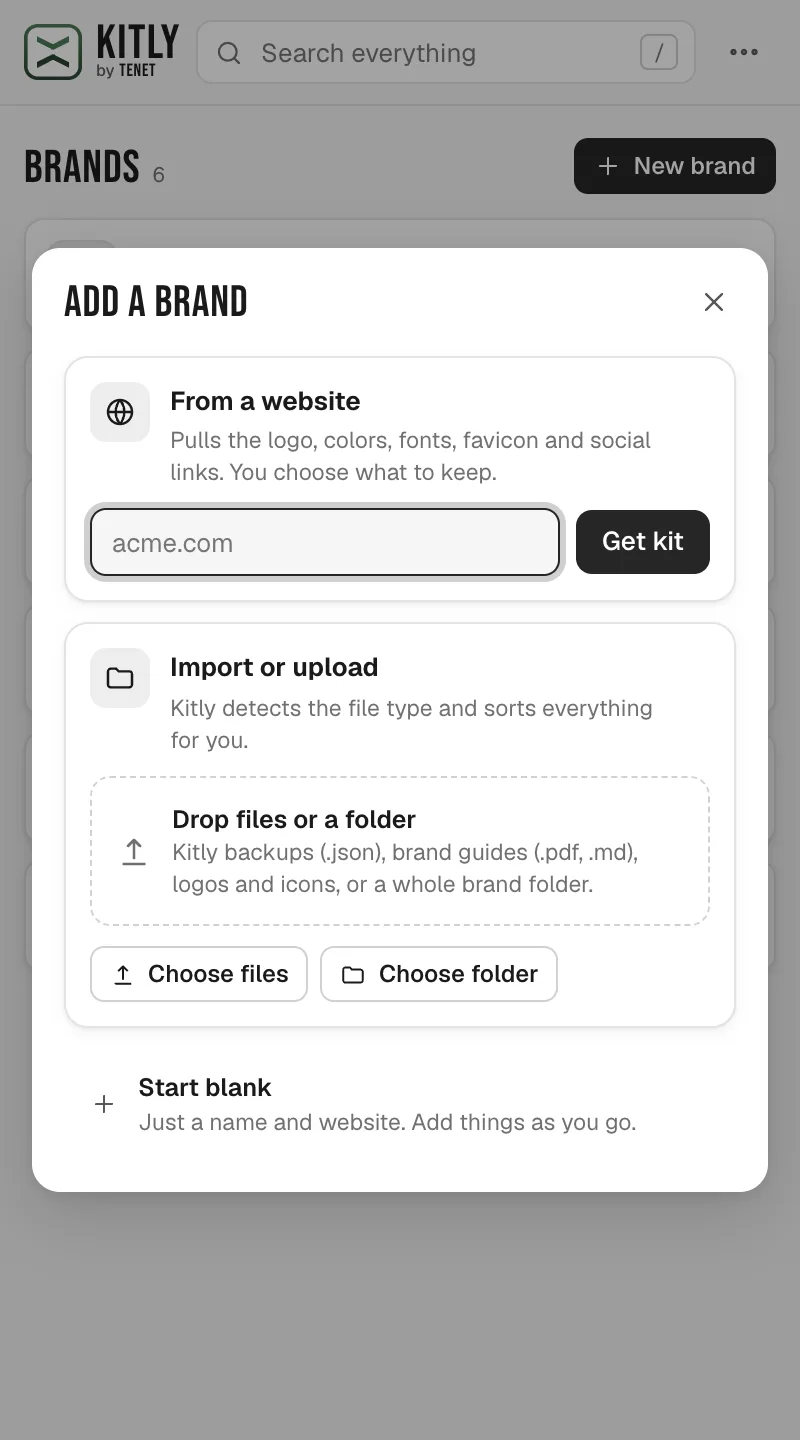
urlType a domain and get the logo, colors, fonts, favicon and social links, then untick what you don’t want.
From a brand guide
pdf · md · design.mdDrop in a PDF or Markdown guide and the HEX and RGB values come right off the page. Tenet design.md files import complete.
From a folder
folderDrop a whole folder of logos and icons. Subfolders become groups, sorted by name and then by size.
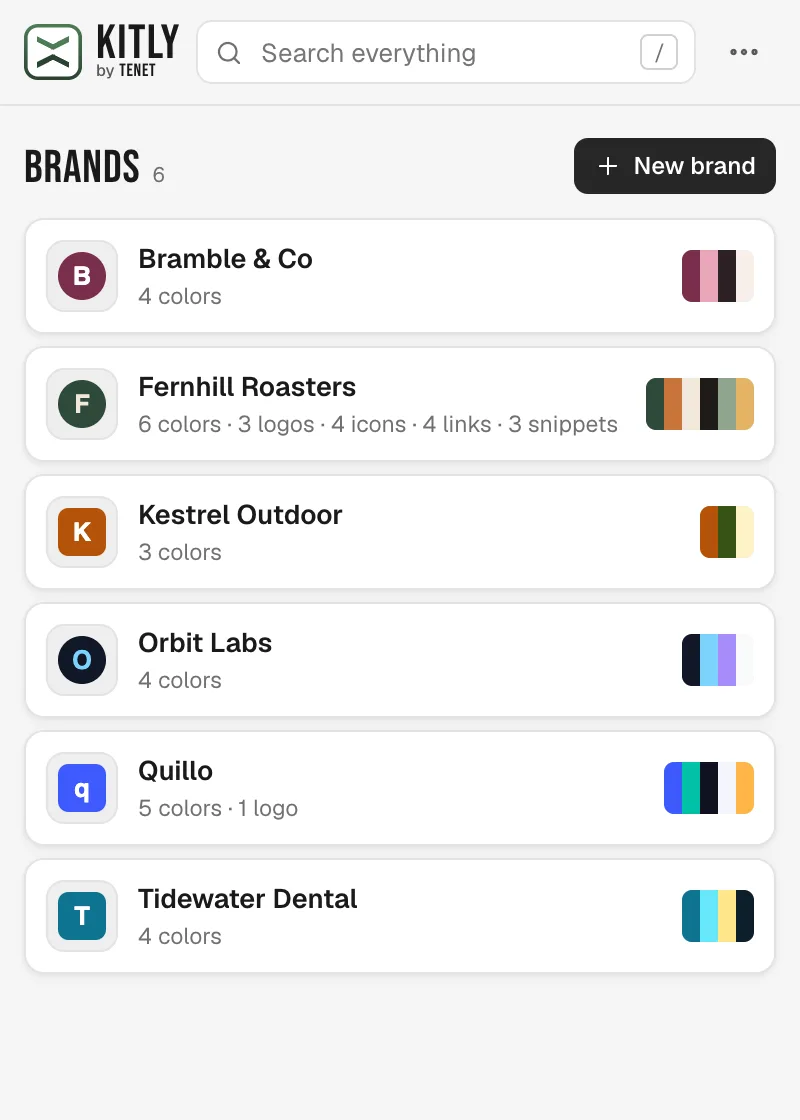
Your library
Every client, one panel.
Each brand shows its favicon and palette, so you spot Fernhill before you finish reading the name. Open one and its colors, logos, icons, links and snippets are all there.
- Brands in your browserunlimited
- Back up and restore any time.json
- Sync across Chrome, Firefox and Safarifree account
Privacy
Client work stays yours.
Logged out, your brands stay in your browser. Logged in, they sync through your Tenet account and the services that run it. Nobody else.
Accounts are optional
Kitly works fully logged out. Log in with Apple, Google or an emailed code only when you want sync.
Stored for sync, nothing else
Your brands live in your browser. Log in and a copy is stored with Tenet so they can sync. That’s the only reason it’s there. Apple shares only your name and email, and can hide the email. Google shares only your name, email and profile picture.
Delete means deleted
Delete account removes the account and everything synced to it, except brands in a workspace you share. The brands on your computer stay.
No analytics, no ads
No analytics in the extension or on this site. No ads. No data sold.
Website access is optional
Asked for only when a feature needs to read a site, like favicons and website kits. Missing favicons can come from Google, and you can switch that off too.
Backups you own
Export a plain JSON file of your whole library whenever you like.
Launching soon
Get the email the day it’s live.
We’ll email you once to confirm, then the day it hits the stores, and again when something new ships or the Tenet beta opens. That’s it.
FAQ
Questions
Is Kitly free?
Yes. Kitly is free, with no limit on brands in your browser, and the Tenet account that syncs them is free too.
Where are my brands stored?
In your browser, on your computer. When you log in, a copy is stored with Tenet so your brands can sync. That’s the only reason it’s there. Export a backup any time from the menu.
Can I use it in more than one browser or computer?
Yes. Log in with the same Tenet account in Chrome, Firefox or Safari, on any computer, and your brands follow. They sync when the panel opens, about two seconds after a change, and every minute while it’s open. The newest edit wins, and deletes sync too.
Why log in?
Only to sync. Use Apple, Google or an 8-digit code sent to your email. No passwords. Apple shares only your name and email address, and Hide My Email sends a private relay address instead. Google shares only your name, email address and profile picture. The first time you log in on a browser that already has brands, you’re asked once whether to add them. Log out any time and the brands on that computer stay.
How do I delete my account?
Open the ⋯ menu and choose Delete account. It deletes your Tenet account and everything synced to it, except brands in a workspace you share with someone. The brands on that computer stay put.
Why does Kitly ask to read websites?
Only to fetch favicons, build a kit from a website, or add a link (the page you’re on included), and only when you do one of those. In Safari, logging in with Apple or Google also asks to allow kitly.runtenet.com, where it finishes. Everything else works without it, and you can switch it off from the menu.
Does it work with Figma?
Yes. Copy a HEX or SVG and paste it into Figma, or drag a logo or icon from the panel onto the canvas.
What’s Tenet?
Tenet is our brand production pipeline: a brand’s rules go in as a design.md, and validated tokens, logos and ads come out. Kitly is the pocket version for the brands you use every day. One Tenet account covers Kitly sync and the rest of Tenet as it opens up.
Something else? Visit support or email support@runtenet.com.